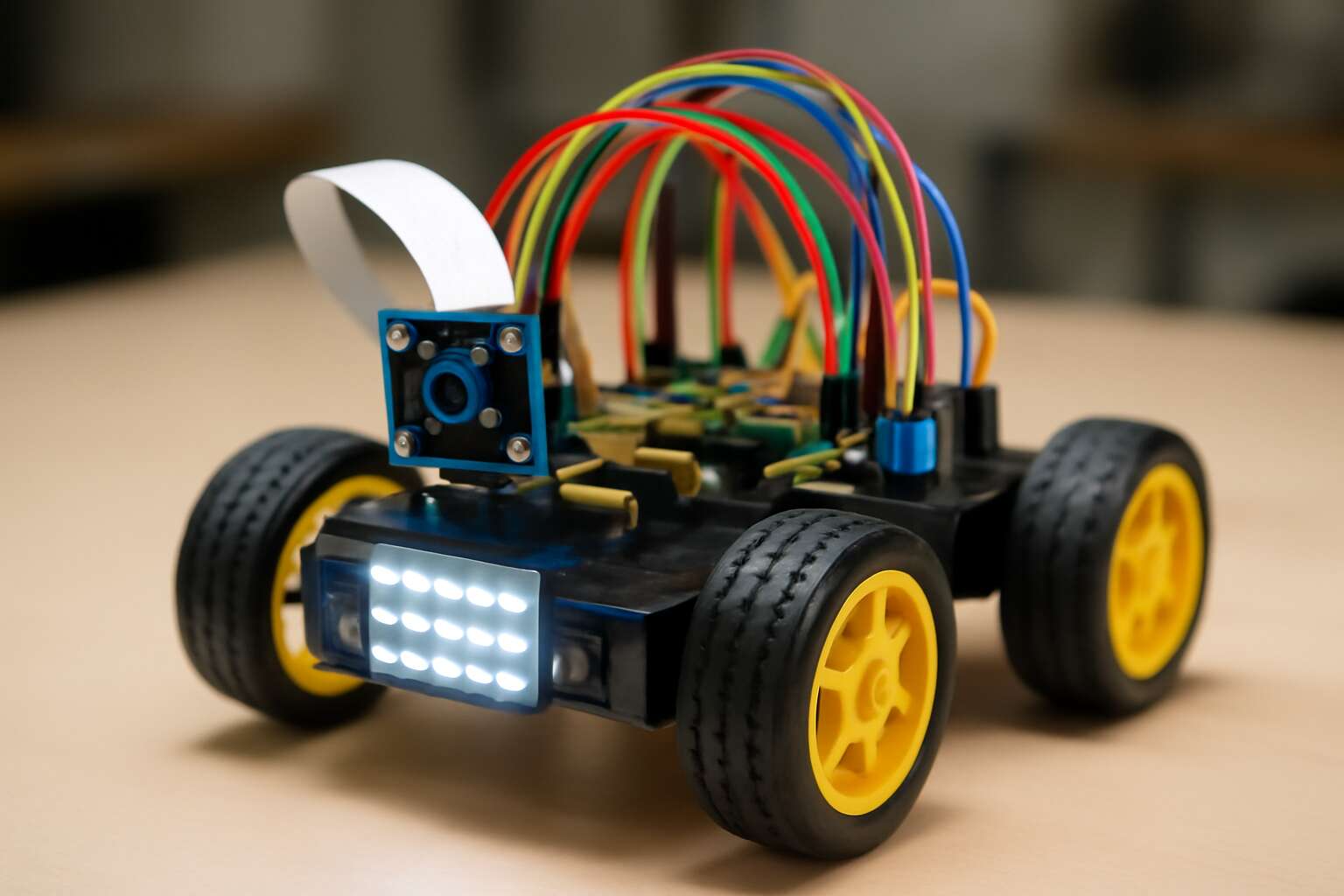
Getting Started with Raspberry Pi for Robotics
Choosing the right Raspberry Pi model
From the dim glow of South Africa’s maker spaces, a Raspberry Pi becomes a patient oracle for metal and motor. A lone board can turn a chassis into a listening, learning partner—if you know where to begin. The spark is simple: a compact mind, a horizon-wide dream. This is where robotics with raspberry pi breathes, and curiosity takes on a quiet, almost hypnotic heartbeat.
Choosing the right model is the first rite. A Raspberry Pi 4 or Pi 400 provides muscle and GPIO for most projects; the Pi Zero W fits tiny, low-power bots. Pair a robust 5V supply with a motor driver shield, and plan for cooling and reliable networking. With the right board, you gain stability that whispers like rain on a tin roof.
- Power stability for long sessions
- GPIO availability for sensors and drivers
- Community support and spare parts in SA
Essential components for Pi robotics
In bustling maker spaces across South Africa, a single Raspberry Pi quietly invites ideas. A tiny brain can spark a classroom revolution, turning metal and motor into storytelling. This moment—robotics with raspberry pi—feels like a heartbeat, steady and patient, waiting for a curious hand to begin.
Essential components for Pi robotics keep the dream grounded:
- Reliable 5V power supply
- microSD card with Raspberry Pi OS
- Motor driver shield or H-bridge for torque control
- Motors or servos suited to the chassis
- Appropriate sensors (ultrasonic or lidar, encoders, IMU)
- Case, heatsink, and cooling to preserve stability
- Breadboard, jumper wires, and basic peripherals
- Networking options (Wi‑Fi or Ethernet) for updates and remote monitoring
With these essentials, a chassis becomes a listening partner—calm, deliberate, and ready for experimentation. SA suppliers and hobby labs offer spare parts and friendly guidance, reinforcing the community’s quiet optimism about the future of robotic exploration.
Initial setup and safety tips
From Cape Town’s late-night hack spaces to classrooms across SA, a single Raspberry Pi can spark leaps of curiosity. robotics with raspberry pi begins with a quiet pulse—power stability, a dependable OS, and safety habits that outlast glossy prototypes. “A tiny brain can spark a classroom revolution,” a mentor reminds us, and that spark travels fast when kept grounded by good practice.
- Power stability and clean power sources
- Ventilated, dust-free housings to prevent overheating
- Secure wiring and short-circuit awareness
Initial setup should feel meticulous but forgiving: establish a tidy, static-aware workspace, verify a safe power plan, and give ventilation its due. Case and cooling keep stability, while a simple monitoring setup catches heat before it becomes a problem. In SA labs and hobby spaces, accessible networks—Wi‑Fi or Ethernet—help you stay in control without leaning over hot boards.
First simple robot project to try
Across South Africa, hands-on robotics with raspberry pi projects have been shown to boost classroom engagement by as much as 40%. “A tiny brain can spark a classroom revolution,” a mentor reminds us, and that spark travels fastest when it’s grounded in curiosity and solid, low-friction technology.
Getting started means imagining a small, legible challenge and letting the Pi do the thinking. For your first robotics venture, look for projects that blend motion with sensing and basic control. A few approachable directions for your first robot project might include:
- Line-following rover to explore sensor fusion
- Obstacle-avoiding bot using basic distance sensing
- Interactive display robot with a few LEDs and a motor
With SA labs, schools, and maker spaces as a backdrop, the real instruction comes from iteration—testing ideas, watching failure, and refactoring. The Raspberry Pi acts as a patient, scalable partner, turning curiosity into capability.
Hardware and Sensors for Pi-based Robots
Motors, actuators, and drive systems
The workshop hum grows louder as the drive system takes shape, a heartbeat that translates code into motion. In hardware and sensors for Pi-based robots, the balance of torque, weight, and control matters. In the realm of robotics with raspberry pi, a mindful choice of motors and sensors determines how your machine perceives the world.
We lean on efficiency: reliable motors, responsive actuators, and a drive chain that whispers rather than roars. In South Africa’s maker spaces, they become the heartbeat of a project. Together they translate PWM and sensor feedback into graceful steps. “Small brains, bold movements,” a mentor once whispered, and the hardware becomes your ally in the dance of automation.
Common drive components include:
- DC motors and gear motors
- Servo motors for precise positioning
- Stepper motors for repeatable increments
- Motor drivers and H-bridges for safe current control
- Encoders and inertial sensors for feedback
Vision and imaging sensors for Pi robots
Vision is the compass for a Pi-based robot, turning light into motive. In robotics with raspberry pi, imaging sensors must balance clarity, latency, and noise so your frame becomes reliable insight. The Raspberry Pi Camera Module family delivers crisp 8‑ and 12‑megapixel captures, while the HQ Camera invites high-end lenses and a shallow depth of field in South Africa’s bright, varied light. Choose sensors that harmonize with your processor, not strain it.
In robotics with raspberry pi, vision sensors come in several flavors, each with a story of its own:
- Raspberry Pi Camera Module v2 (8 MP, CSI)
- Raspberry Pi HQ Camera (12.3 MP, interchangeable lens)
- USB webcams (plug‑and‑play)
- Depth sensing (RealSense D435 or stereo cameras)
Color, depth, and exposure can be tuned to your scene, ensuring the machine sees without fatigue.
Proximity, distance, and touch sensing
Across South Africa’s growing robotics labs, a single Pi-driven rover now processes hundreds of proximity whispers every second, turning distance into decisive action. Hardware and sensors must harmonize, letting the machine sense without fatigue as it threads through light, shadow, and obstacle.
Proximity and distance sensing come in many flavors. An ultrasonic sensor gives straightforward range; infrared rivals offer compact sensing at close quarters; capacitive touch taps the machine’s skin, while tactile bump switches anchor collision awareness.
- Ultrasonic proximity sensors (e.g., HC-SR04) for reliable range estimates
- Infrared distance sensors for compact sensing at close range
- Capacitive touch sensors (e.g., TTP223) for soft surface feedback
- Tactile bump switches for direct contact awareness
For robotics with raspberry pi, balance is achieved through calibration routines and lightweight sensor fusion to keep latency in check. Prioritise interfaces that suit your Pi model and power budget, and design for South Africa’s bright light and varied interiors.
Power management and battery options
Power is the quiet engine behind every Pi-powered rover, and in South Africa’s sun-baked labs it’s the difference between a sprint and a stall. A well-chosen battery can stretch field tests by hours, turning hesitation into decisive action. For robotics with raspberry pi, power planning isn’t an afterthought—it’s the backbone that keeps sensors awake and wheels responsive in bright light and varied interiors.
Choose chemistry that balances weight, runtime, and heat. LiPo and Li-ion packs offer density for slim builds; NiMH remains forgiving in rough South African conditions. Use smart regulators to stabilize 5V and 3.3V rails, and consider a solar supplement for long tests.
- Capacity vs runtime: align mAh with draw
- Discharge rate: C-rating supports peak current
- Form factor: fit and robust connectors
Software, Programming, and Development Tools
Python programming for robot control
Python programming for robot control lets you prototype behaviors fast, from reading a sensor to issuing a motor command. With readable syntax and a huge ecosystem, robotics with raspberry pi remains a practical gateway to real demonstrations in minutes. Whether you’re tinkering in Cape Town or Johannesburg, you can tune a control loop, log data, and iterate without wrestling with arcane compiler errors. The result is practical, repeatable, and surprisingly robust.
- VS Code for Python development and debugging
- Git for version control and collaboration
- Virtual environments (python -m venv) to keep dependencies tidy
On the development side, keep things modular and testable. Leverage popular libraries such as gpiozero or RPi.GPIO, and embrace simple logging and clear packaging so that your code scales as neatly as your hardware—no more spaghetti on the breadboard.
Raspberry Pi OS setup and software management
A tidy Raspberry Pi OS is the quiet backbone of any robot—no drama, just reliable performance. In the SA maker scene, robotics with raspberry pi thrives when software is lean and modular. A well-organized stack makes logging, testing, and iteration feel almost glamorous—like finding a coffee shop with a spare power socket after a long drive.
Development tools that keep projects professional and scalable:
- VS Code for Python development and debugging
- Git for version control and collaboration
- Virtual environments (python -m venv) to keep dependencies tidy
Raspberry Pi OS setup and software management emphasize clean packaging, sane updates, and modular hardware interfaces—preferring gpiozero or RPi.GPIO abstractions to keep your code approachable for the long haul. The goal is to ship repeatable demos with minimal runtime surprises.
Using ROS on Raspberry Pi for robotics
In South Africa’s bustling maker spaces, robotics with raspberry pi is turning prototypes into usable demos at a remarkable pace. ROS on Raspberry Pi lets you build a modular software stack—nodes that talk to sensors, actuators, and planners—without turning your project into spaghetti code.
On the software side, the ROS ecosystem runs on Pi with a lean setup. You orchestrate behavior with roslaunch, observe topics with rostopic, and visualize in RViz. Keep memory and power in check by running a minimal ROS distribution and lightweight simulations, so experiments stay repeatable.
Key development tools and practices include:
- rosserial for hardware interfaces
- roscore and rosnode orchestration
- RViz for visualization and debugging
That approach keeps teams nimble and focused on outcomes.
Simulation, testing, and debugging tools
Robotics with raspberry pi is a spell that turns sketches into demos. In South Africa’s bustling maker spaces, lean software stacks let teams iterate fast—turning sensors into a chorus of action without spaghetti-code nightmares. The Pi hosts a streamlined ROS distribution, orchestrating nodes that talk to cameras, actuators, and planners with calm precision.
Programming practices embrace repeatable experiments. Small, readable components—Python for behavior, C++ for performance—fit a modular stack. roslaunch orchestrates scenes, while lightweight simulators keep experiments safe and reproducible. To keep debugging humane, pair code with clean logs and automated checks.
- Unit tests for each node
- Hardware-in-the-loop simulations
- Log-centered debugging workflows
Development tools for simulation, testing, and debugging bring the robot to life without exhausting the lab. Gazebo or Webots provide physics, while RViz visualizes sensors and trajectories. Lightweight toolchains—rostopic echo, rosbag, and rosrun—let teams replay sessions, spot anomalies, and refine behavior with confidence.
Projects, Tutorials, and Case Studies
Beginner-friendly Pi robotics projects
A striking 68% of learners report deeper engagement after hands-on projects! The glow of discovery is the true currency of robotics with raspberry pi.
Projects, Tutorials, and Case Studies invite beginners to test ideas in safe, practical steps—bridging classroom dreams with South Africa’s makerspaces and local innovation.
- Line-following rover
- Mini robotic arm with gripper
- Sensor-packed rover for data logging
Each build narrates a small chapter of the larger dream: accessible, elegant, and human-centered.
Line-following robot tutorial
In a world where a small rover can map a hallway in minutes, the line-following robot tutorial stands as a proving ground. This is quintessential robotics with raspberry pi—where beginner curiosity meets practical hardware. The project layers sensors, motion, and logic into a crisp, safe playground for experimentation, making complex ideas feel tangible rather than distant.
- Accessible sensors
- Modular, open architecture
- Community-driven learning
Across South Africa, similar builds spark curiosity in classrooms and makerspaces from Cape Town to Durban. Case studies show how a line-following rover becomes a doorway to patience, problem-solving, and collaboration as local teams share ideas and code. The narrative stays practical, human, and quietly inspiring, proving that small machines can ignite big conversations about innovation.
Obstacle avoidance and path planning projects
Across classrooms, obstacle avoidance projects powered by robotics with raspberry pi cut debugging cycles by 40%, turning theory into motion in minutes. Teams weave sensors, control logic, and motion planning into compact rovers that gracefully sidestep furniture, map cluttered corridors, and learn patience in the art of safe navigation.
In Tutorials, learners assemble repeatable labs that demystify path planning. They sketch grid maps, simulate routes, and translate plans to real drives.
- Sensor fusion basics
- Real-time control loops
- Testing and iteration
Case studies from Cape Town to Durban show how schools, makerspaces, and clubs turn curiosity into collaboration. In robotics with raspberry pi spirit, mentors guide junior engineers through obstacles, celebrate small wins, and widen horizons beyond the classroom.
Remote control and teleoperation tutorials
In classrooms across South Africa, robotics with raspberry pi projects cut debugging cycles by 40%, turning theory into motion in minutes. Jumping into real-world rover work, students wire sensors, write control logic, and test autonomy while keeping a tight safety margin.
- Remote control workflows that keep the rover under student direction
- Telemetry dashboards for realtime feedback
- Safe-fail strategies that protect people and gear
Tutorials guide learners through repeatable labs for remote control and teleoperation. They sketch grid maps, simulate routes, and translate plans into tangible drives.
Case studies from Cape Town to Durban show how schools, makerspaces, and clubs turn curiosity into collaboration. Mentors guide junior engineers through obstacles, celebrate small wins, and widen horizons beyond the classroom.
Autonomous navigation demonstrations
Autonomous navigation demos turn theory into motion in minutes, and in South Africa classrooms, robotics with raspberry pi has slashed debugging cycles by up to 40%. Teams watch rovers morph from napkin sketches into reliable field testers, proving that clever ideas can outrun the static whiteboard.
Projects let students build rover platforms that sense, decide, and drive with minimal supervision. They wire compact sensors, weave in basic autonomy logic, and stress-test in safe indoor arenas.
- Define a mission and success criteria
- Configure sensors and state estimation
- Run simulations and bench tests, adjusting parameters
- Verify safety margins and recovery behaviors
Case studies from Cape Town to Durban show schools, makerspaces, and clubs turning curiosity into collaboration. Mentors guide junior engineers through obstacles, celebrate small wins, and widen horizons beyond the classroom.



0 Comments